There are no items in your cart
Add More
Add More
| Item Details | Price | ||
|---|---|---|---|

Wed May 29, 2024
Introduction:
Text boxes are visual elements in Power BI that allow users to add and display text-based content within a report. They serve as containers for text, providing a means to add descriptions, explanations, titles, subtitles, annotations, or other textual information to enhance the understanding and presentation of data. The purpose of text boxes in Power BI is to provide context, add narrative, and guide users through the data exploration process. They enable report creators to communicate key insights, provide instructions, and deliver additional information to enhance the overall user experience.

A blank text box will appear on your report canvas.


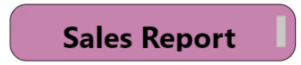

Experiment with other formatting options such as padding, margin, and text box transparency to achieve the desired look and feel.


Vijay Kashyap
A California-based travel writer, lover of food, oceans, and nature.
 Launch your Graphy